Image 1 of 4
Super Useful Student Tools – Reading, Research, AI Skills & Digital Supports for Any Subject
A Classroom Resource for Digital Tools, AI Use, Reading Strategies & Academic Skill Support.
This student-ready digital document provides a curated collection of hyperlinked online tools that support reading, writing, language access, and research skills across subject areas. It is designed to help students work more independently while reducing barriers related to vocabulary, language, and text complexity.
Rather than introducing dozens of disconnected apps, this resource focuses on a small set of high-impact tools and clearly defines what each one does and when to use it. Teachers can assign this document directly to students or use it as part of digital literacy instruction.
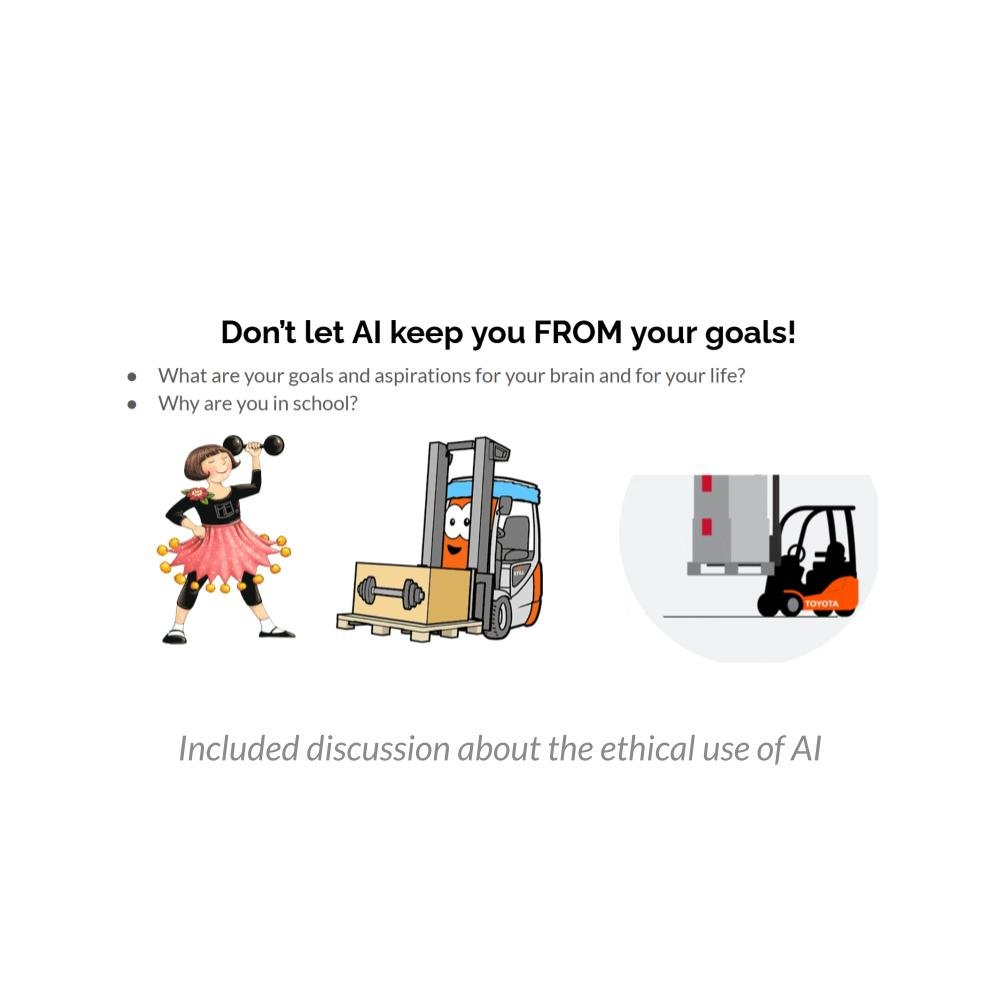
In addition to academic tools, this resource includes a student-appropriate introduction to the ethical use of artificial intelligence, helping learners understand how to use AI responsibly as a support tool rather than a shortcut.
Tools Included
Students are introduced to and guided in using:
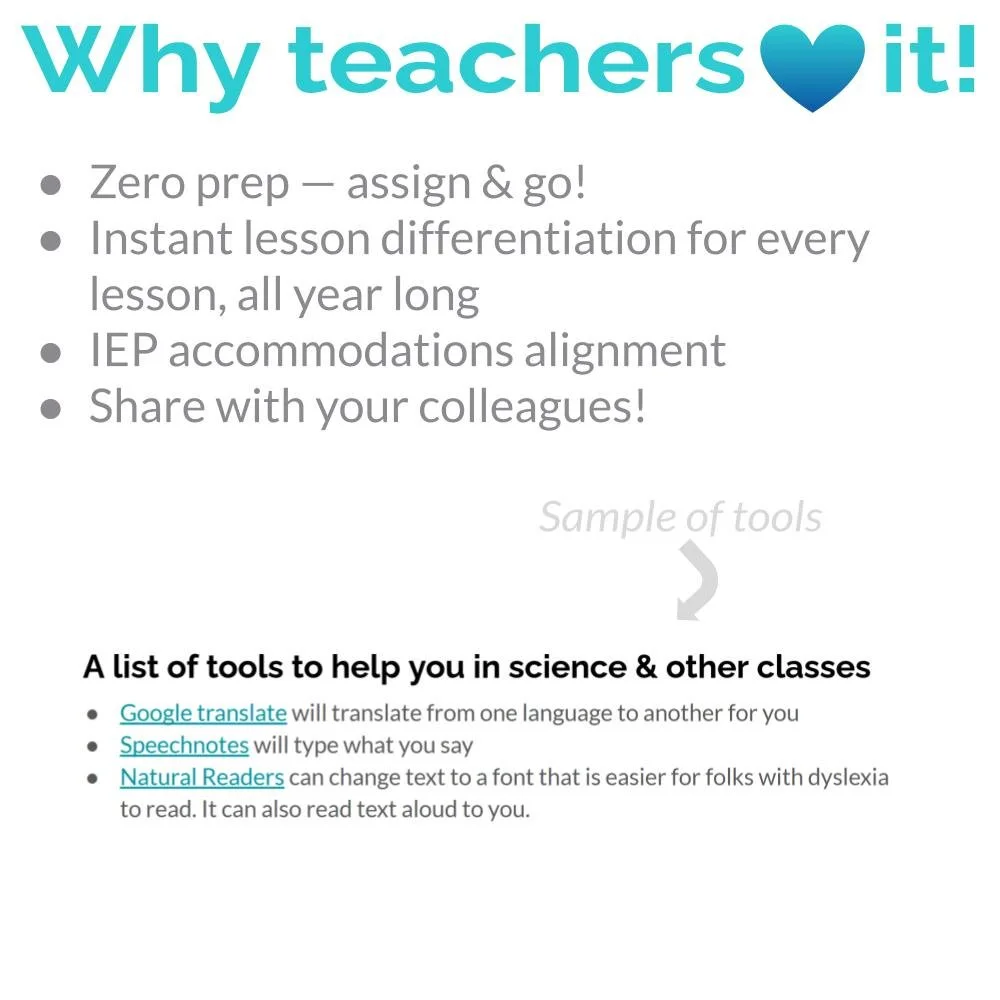
Google Translate
Supports translation between languages to improve access to academic content and instructions.
Speechnotes
Converts speech to text, allowing students to dictate written responses and organize ideas orally.
Natural Readers
Reads digital text aloud and offers dyslexia-friendly font options for increased accessibility.
Rewordify
Simplifies complex vocabulary and sentence structure while preserving meaning.
EasyBib
Generates research citations and bibliographies to support proper source documentation.
WordCounter
Provides word counts, grammar feedback, and spelling checks to improve writing quality.
Ethical Use of AI
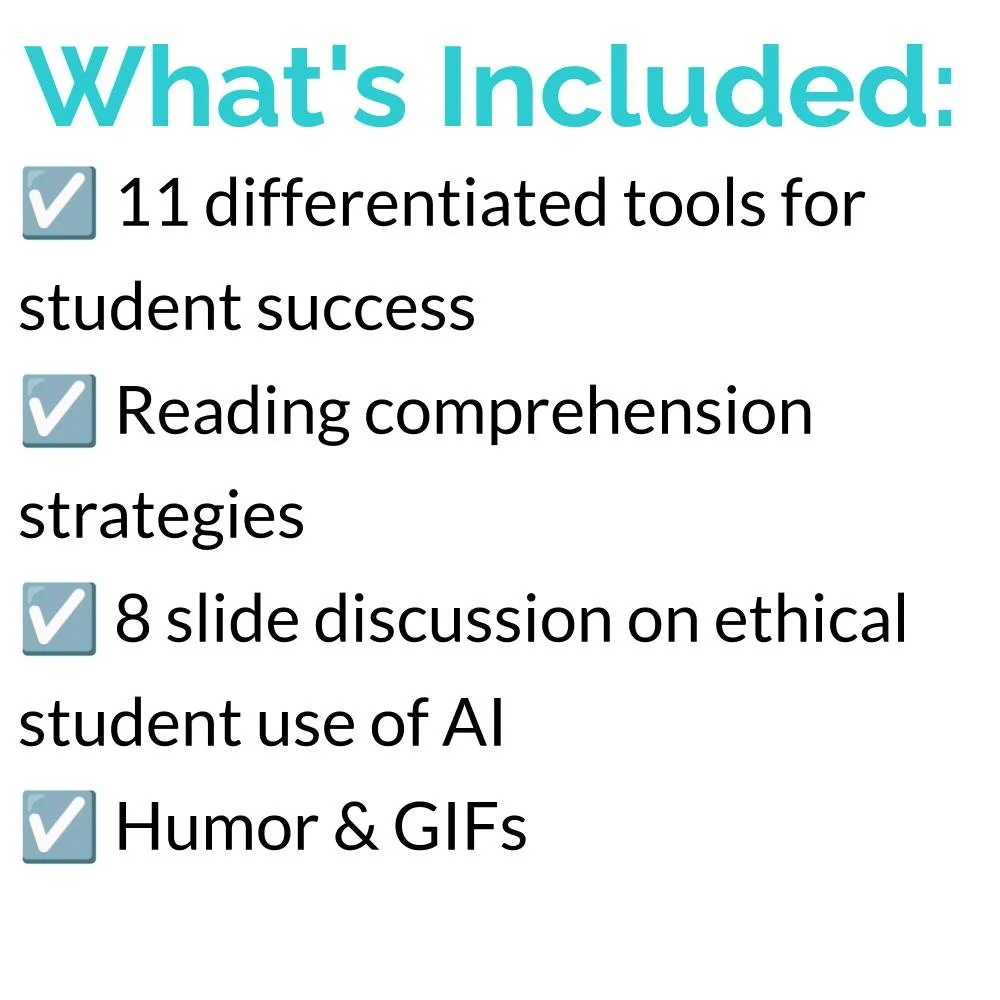
Students are introduced to clear expectations for appropriate and responsible AI use, including:
• When AI tools can support learning
• Why AI should not replace original thinking
• How to use AI for clarification and revision rather than generation
• The importance of academic honesty
• Understanding AI as a tool, not an authority
This component helps teachers address AI in the classroom proactively, rather than reactively.
Instructional Uses
Teachers use this resource to:
• Support struggling readers and writers
• Provide accommodations without changing content
• Teach digital study skills
• Increase student independence
• Support multilingual learners
• Improve writing and research workflow
• Introduce ethical technology use
Why Teachers Use This Resource
✔ Reduces barriers to academic text
✔ Encourages responsible tool use
✔ Supports multiple learning needs
✔ Easy to assign digitally
✔ Works across content areas
✔ Ideal for intervention, SPED, or general education
✔ Addresses AI use explicitly and constructively
This resource gives students practical tools they can use immediately — not just in one class, but across their academic work — while also teaching them how to use technology thoughtfully and responsibly.
Grade & Course Recommendation:
Middle School:Grades 6–8 as a general resource for lab preparation and academic organization.
High School:Grades 9–12 across science courses for supporting study skills, planning, and data organization.
Cross-Curricular Connections:
ELA Integration: Strengthens comprehension and note-taking skills applicable in all subjects.
Career Skills Connection: Supports metacognitive habits used in real research and technical documentation.
Join the Lesson Laboratory and Teach for Tomorrow!
NGSS Alignment for “Any Subject Super Useful Tools”
Relevant Practices (SEPs)
Obtaining, Evaluating, and Communicating Information
Students learn to use tools like Rewordify, Natural Readers, and Wordcounter to process and communicate information effectively.
Asking Questions and Defining Problems
The AI discussion prompts students to reflect on their learning goals and how tools should be used responsibly.
Constructing Explanations and Designing Solutions
By choosing appropriate tools for different tasks, students practice problem-solving.
Engaging in Argument from Evidence
The AI ethics conversation encourages weighing appropriate vs. inappropriate uses with reasoning.
Crosscutting Concepts (CCCs)
Structure and Function – Choosing the right tool for the task (AI vs. traditional learning tools).
Cause and Effect – Considering how the use or misuse of tools (like AI) impacts learning outcomes.
Systems and System Models – Understanding technology as part of the broader learning environment.
Stability and Change – Recognizing that technology and AI are changing rapidly, and adapting learning practices accordingly.
Middle School NGSS Performance Expectations (Broadly Applicable)
MS-ETS1-1: Define the criteria and constraints of a design problem with sufficient precision to ensure a successful solution. (Choosing the right digital tool for a task mirrors this design thinking.)
MS-ETS1-2: Evaluate competing design solutions using a systematic process. (Deciding whether AI or another tool is the most effective for a goal.)
High School NGSS Performance Expectations (Broadly Applicable)
HS-ETS1-2: Design a solution to a complex real-world problem by breaking it down into smaller, more manageable problems. (Selecting tools to manage reading, writing, and research tasks.)
HS-ETS1-3: Evaluate a solution to a complex real-world problem based on prioritized criteria and trade-offs. (Evaluating appropriate vs. inappropriate uses of AI in learning.)
HS-ETS1-4: Use a computer simulation to model the impact of proposed solutions. (AI tools essentially act as simulations/assistants to test learning strategies.)
Common Core Alignment
ELA Standards – Reading & Informational Text
CCSS.ELA-LITERACY.RI.6-12.1 – Cite textual evidence to support analysis of what the text says explicitly. (Students use Rewordify, Natural Readers, or translation tools to understand and analyze texts.)
CCSS.ELA-LITERACY.RI.6-12.7 – Integrate information presented in different media or formats. (Using AI explanations, videos, and text-to-speech tools.)
ELA Standards – Writing
CCSS.ELA-LITERACY.W.6-12.7 – Conduct short research projects to answer a question. (EasyBib, Purdue OWL, and citation generators help with research projects.)
CCSS.ELA-LITERACY.W.6-12.8 – Gather relevant information from multiple sources, assess credibility, and integrate the information while avoiding plagiarism. (Bibliography and citation tools directly address this.)
CCSS.ELA-LITERACY.W.6-12.6 – Use technology, including the Internet, to produce and publish writing. (Wordcounter, AI editing, and other digital tools support this.)
ELA Standards – Speaking & Listening
CCSS.ELA-LITERACY.SL.6-12.1 – Engage effectively in collaborative discussions. (AI use discussion prompts encourage structured classroom dialogue.)
CCSS.ELA-LITERACY.SL.6-12.4 – Present claims and findings clearly and persuasively. (Using AI to generate practice quizzes or study aids strengthens communication of ideas.)
ELA Standards – Language
CCSS.ELA-LITERACY.L.6-12.1 & L.6-12.2 – Demonstrate command of grammar and usage conventions. (Wordcounter helps check grammar and spelling.)
CCSS.ELA-LITERACY.L.6-12.4 – Determine the meaning of unknown words using various strategies. (Rewordify and translation tools support this directly.)
Math Connections
Although not the main focus, some of the tools (scientific notation calculator, periodic table, interactive maps) align with Mathematical Practice Standards (CCSS.MP):
CCSS.MATH.PRACTICE.MP5 – Use appropriate tools strategically. (Choosing the right calculator or online tool for a math/science task.)
CCSS.MATH.PRACTICE.MP6 – Attend to precision. (Ensuring citations, grammar, and calculations are accurate.)
A Classroom Resource for Digital Tools, AI Use, Reading Strategies & Academic Skill Support.
This student-ready digital document provides a curated collection of hyperlinked online tools that support reading, writing, language access, and research skills across subject areas. It is designed to help students work more independently while reducing barriers related to vocabulary, language, and text complexity.
Rather than introducing dozens of disconnected apps, this resource focuses on a small set of high-impact tools and clearly defines what each one does and when to use it. Teachers can assign this document directly to students or use it as part of digital literacy instruction.
In addition to academic tools, this resource includes a student-appropriate introduction to the ethical use of artificial intelligence, helping learners understand how to use AI responsibly as a support tool rather than a shortcut.
Tools Included
Students are introduced to and guided in using:
Google Translate
Supports translation between languages to improve access to academic content and instructions.
Speechnotes
Converts speech to text, allowing students to dictate written responses and organize ideas orally.
Natural Readers
Reads digital text aloud and offers dyslexia-friendly font options for increased accessibility.
Rewordify
Simplifies complex vocabulary and sentence structure while preserving meaning.
EasyBib
Generates research citations and bibliographies to support proper source documentation.
WordCounter
Provides word counts, grammar feedback, and spelling checks to improve writing quality.
Ethical Use of AI
Students are introduced to clear expectations for appropriate and responsible AI use, including:
• When AI tools can support learning
• Why AI should not replace original thinking
• How to use AI for clarification and revision rather than generation
• The importance of academic honesty
• Understanding AI as a tool, not an authority
This component helps teachers address AI in the classroom proactively, rather than reactively.
Instructional Uses
Teachers use this resource to:
• Support struggling readers and writers
• Provide accommodations without changing content
• Teach digital study skills
• Increase student independence
• Support multilingual learners
• Improve writing and research workflow
• Introduce ethical technology use
Why Teachers Use This Resource
✔ Reduces barriers to academic text
✔ Encourages responsible tool use
✔ Supports multiple learning needs
✔ Easy to assign digitally
✔ Works across content areas
✔ Ideal for intervention, SPED, or general education
✔ Addresses AI use explicitly and constructively
This resource gives students practical tools they can use immediately — not just in one class, but across their academic work — while also teaching them how to use technology thoughtfully and responsibly.
Grade & Course Recommendation:
Middle School:Grades 6–8 as a general resource for lab preparation and academic organization.
High School:Grades 9–12 across science courses for supporting study skills, planning, and data organization.
Cross-Curricular Connections:
ELA Integration: Strengthens comprehension and note-taking skills applicable in all subjects.
Career Skills Connection: Supports metacognitive habits used in real research and technical documentation.
Join the Lesson Laboratory and Teach for Tomorrow!
NGSS Alignment for “Any Subject Super Useful Tools”
Relevant Practices (SEPs)
Obtaining, Evaluating, and Communicating Information
Students learn to use tools like Rewordify, Natural Readers, and Wordcounter to process and communicate information effectively.
Asking Questions and Defining Problems
The AI discussion prompts students to reflect on their learning goals and how tools should be used responsibly.
Constructing Explanations and Designing Solutions
By choosing appropriate tools for different tasks, students practice problem-solving.
Engaging in Argument from Evidence
The AI ethics conversation encourages weighing appropriate vs. inappropriate uses with reasoning.
Crosscutting Concepts (CCCs)
Structure and Function – Choosing the right tool for the task (AI vs. traditional learning tools).
Cause and Effect – Considering how the use or misuse of tools (like AI) impacts learning outcomes.
Systems and System Models – Understanding technology as part of the broader learning environment.
Stability and Change – Recognizing that technology and AI are changing rapidly, and adapting learning practices accordingly.
Middle School NGSS Performance Expectations (Broadly Applicable)
MS-ETS1-1: Define the criteria and constraints of a design problem with sufficient precision to ensure a successful solution. (Choosing the right digital tool for a task mirrors this design thinking.)
MS-ETS1-2: Evaluate competing design solutions using a systematic process. (Deciding whether AI or another tool is the most effective for a goal.)
High School NGSS Performance Expectations (Broadly Applicable)
HS-ETS1-2: Design a solution to a complex real-world problem by breaking it down into smaller, more manageable problems. (Selecting tools to manage reading, writing, and research tasks.)
HS-ETS1-3: Evaluate a solution to a complex real-world problem based on prioritized criteria and trade-offs. (Evaluating appropriate vs. inappropriate uses of AI in learning.)
HS-ETS1-4: Use a computer simulation to model the impact of proposed solutions. (AI tools essentially act as simulations/assistants to test learning strategies.)
Common Core Alignment
ELA Standards – Reading & Informational Text
CCSS.ELA-LITERACY.RI.6-12.1 – Cite textual evidence to support analysis of what the text says explicitly. (Students use Rewordify, Natural Readers, or translation tools to understand and analyze texts.)
CCSS.ELA-LITERACY.RI.6-12.7 – Integrate information presented in different media or formats. (Using AI explanations, videos, and text-to-speech tools.)
ELA Standards – Writing
CCSS.ELA-LITERACY.W.6-12.7 – Conduct short research projects to answer a question. (EasyBib, Purdue OWL, and citation generators help with research projects.)
CCSS.ELA-LITERACY.W.6-12.8 – Gather relevant information from multiple sources, assess credibility, and integrate the information while avoiding plagiarism. (Bibliography and citation tools directly address this.)
CCSS.ELA-LITERACY.W.6-12.6 – Use technology, including the Internet, to produce and publish writing. (Wordcounter, AI editing, and other digital tools support this.)
ELA Standards – Speaking & Listening
CCSS.ELA-LITERACY.SL.6-12.1 – Engage effectively in collaborative discussions. (AI use discussion prompts encourage structured classroom dialogue.)
CCSS.ELA-LITERACY.SL.6-12.4 – Present claims and findings clearly and persuasively. (Using AI to generate practice quizzes or study aids strengthens communication of ideas.)
ELA Standards – Language
CCSS.ELA-LITERACY.L.6-12.1 & L.6-12.2 – Demonstrate command of grammar and usage conventions. (Wordcounter helps check grammar and spelling.)
CCSS.ELA-LITERACY.L.6-12.4 – Determine the meaning of unknown words using various strategies. (Rewordify and translation tools support this directly.)
Math Connections
Although not the main focus, some of the tools (scientific notation calculator, periodic table, interactive maps) align with Mathematical Practice Standards (CCSS.MP):
CCSS.MATH.PRACTICE.MP5 – Use appropriate tools strategically. (Choosing the right calculator or online tool for a math/science task.)
CCSS.MATH.PRACTICE.MP6 – Attend to precision. (Ensuring citations, grammar, and calculations are accurate.)